AWS will give you up to 72 % off compute if you promise to keep paying for it for three years. The number is real and it's in every cost-optimisation checklist. What the checklist doesn't say is what fraction of your bill the promise can apply to, and for the architecture most small teams run in 2026, the honest answer is: almost none of it.
We published our bill and said we pay on-demand for everything. This is the working behind that sentence, the four instruments, what each one can and can't cover, and the rule we use for when to stop saying no.
The four instruments
| Instrument | Covers | Doesn't cover | Typical 1-year, no-upfront discount |
|---|---|---|---|
| Compute Savings Plan | EC2, Fargate, Lambda, any region, any instance family | App Runner, anything that isn't compute | ~20–30 % (Lambda ~17 %) |
| EC2 Instance Savings Plan | EC2 in one family in one region | Everything else | ~30–40 % |
| RDS / Aurora Reserved Instances | Provisioned RDS and Aurora instances, per class | Aurora Serverless v2 | ~30–40 % |
| DynamoDB reserved capacity | Provisioned read/write capacity units | On-demand mode | ~50 % |
Three things to notice before doing any arithmetic. Savings Plans are commitments to spend, in dollars per hour, not to specific resources, which makes them flexible within what they cover. Reserved Instances are commitments to specific instance classes, which makes them cheaper and more brittle. And the list of things they don't cover is where a serverless-leaning architecture lives.
What our bill can actually be covered by
Take the bill line by line and ask which instrument applies:
| Line | Monthly | Coverable by | Discount available |
|---|---|---|---|
| App Runner | $190 | nothing | 0 |
| Aurora Serverless v2 | $130 | nothing (no reservations for Serverless v2) | 0 |
| NAT Gateway | $100 → $66 | nothing | 0 |
| CloudWatch | $95 | nothing | 0 |
| CloudFront + S3 | $55 | CloudFront security bundle, min $ commitment far above us | 0 |
| DynamoDB on-demand | $35 | only if switched to provisioned, then reserved | 0 as configured |
| Secrets Manager, KMS | $66 | nothing | 0 |
| Lambda | $15 | Compute Savings Plan | 17 % → $2.50 |
| CodeBuild | $15 | nothing | 0 |
| Everything else | $50 | nothing | 0 |
| Total | ~$750 | $15 coverable | ~$2.50 / month |
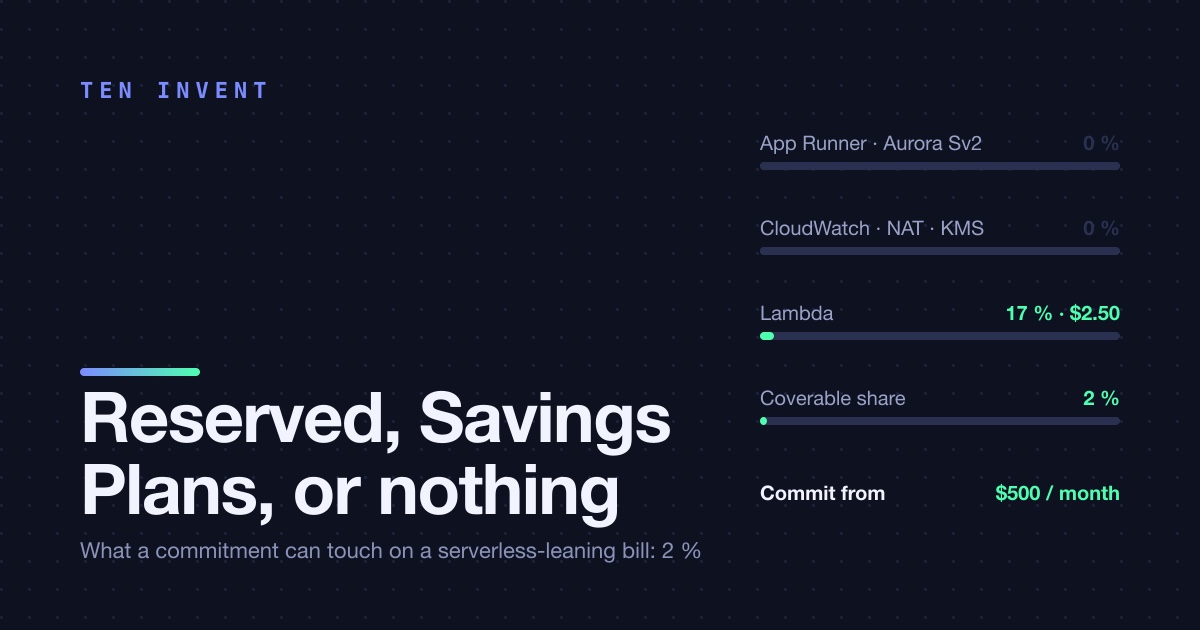
Two dollars and fifty cents. For a twelve-month commitment. The instruments that promise 72 % apply to 2 % of the bill, because the four largest lines are App Runner, Serverless Aurora, NAT and CloudWatch, and not one of them is reservable. The architecture that made the platform cheap to operate also made it impossible to discount.
The other cost of a commitment
Even where a discount applies, a commitment has a price that isn't on the invoice: it's a bet that the architecture won't change for a year. Ours is changing. App Runner may become Fargate for the service that keeps hitting the 120-second limit. Aurora Serverless v2 may become a provisioned instance if the load flattens. One of the Lambdas is likely to become a container. Each of those moves would make a reservation on the old thing worthless and a reservation on the new thing something we'd have wanted.
A Compute Savings Plan is the exception here, and it's why it's the only one we'd consider first: it follows the spend across EC2, Fargate and Lambda, so "the Lambda became a container" doesn't strand it. Reserved Instances don't have that property. An Aurora RI for db.r6g.large is an r6g.large for a year, and if you resize, you're paying for both.
The rule we use
We'll commit when three things are true at once:
- The coverable spend is at least $500 a month. Below that, the saving is under $100 a month and the annual conversation isn't worth an afternoon. For us that means either compute has moved to Fargate or EC2, or the database has gone provisioned.
- The shape has been stable for six months. Not the bill, the shape: the same services, the same instance classes, no migration on the roadmap. Six months of stability is the evidence that twelve more is likelier than not.
- We cover the baseline, not the peak. A Savings Plan commitment is dollars per hour, every hour. Set it at 60–70 % of the lowest steady hourly spend, so that on the quietest night of the year the commitment is still fully used. Everything above it stays on-demand. Under-committing wastes a little discount; over-committing pays for capacity that isn't there.
And always one year, no upfront, first. The three-year discount is larger and the three-year bet is on an architecture that, for a team our size, will not exist in three years.
What we'd tell a team at $3,000 a month
The picture changes with scale, and it changes with architecture more than with scale. A team spending $3,000 a month on Fargate and a provisioned Aurora cluster can cover perhaps $2,000 of it and save $600 a month with two commitments made in an afternoon; that's a real number and they should do it. A team spending $3,000 a month on App Runner, Serverless v2, CloudWatch and NAT can cover a few hundred, and their afternoon is better spent on the CloudWatch line or the NAT count, where the savings are larger and don't require a promise.
Look at what you're actually paying for before you look at the discount table. If the biggest lines aren't on it, the answer is nothing, for now, and that's fine.
If you'd like the line-by-line reservability check on your own bill, we do it in an hour.