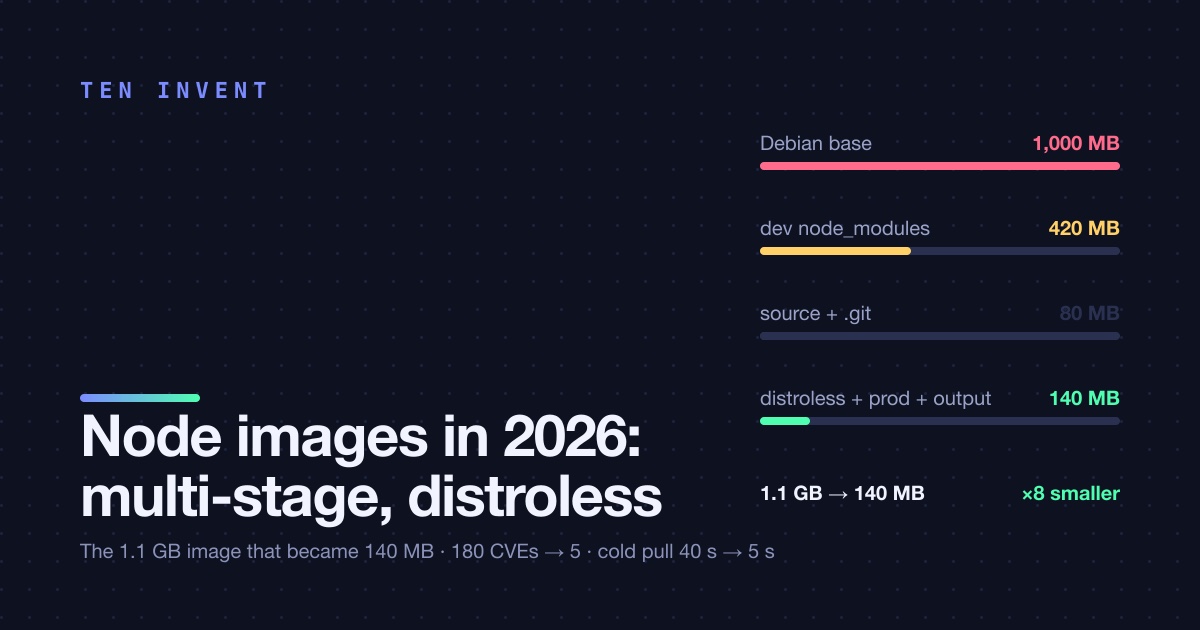
The first Dockerfile in most Node projects is eleven lines long, starts from node:20, copies the repository, runs npm install and npm run build, and ships. It works. It is also 1.1 GB, contains a C compiler, Python, git, every dev dependency, the .git directory, and the source of the app next to its build output. That is what we inherited on a Next.js platform we run for a US client, and it was costing real minutes on every deploy and real money in ECR storage and App Runner pull time.
Here is the Dockerfile we run now, at 140 MB, with the reasoning for each stage, the two things that broke when we went distroless, and the honest note about what you give up.
Where the 1.1 GB came from
| Layer | Size | Why it was there |
|---|---|---|
node:20 base (Debian) |
1,000 MB | Full Debian with build toolchain, Python, git |
node_modules incl. dev deps |
420 MB | TypeScript, ESLint, Jest, Playwright, all shipped to prod |
Source tree + .git |
80 MB | Copied before .dockerignore existed |
| Build output | 60 MB | The only part production needs |
Four of those five rows are waste in the running container. The base image alone is seven times the app. And each layer is re-pushed to ECR and re-pulled by every App Runner instance on scale-out, which was adding twenty to forty seconds to every cold start.
The Dockerfile
# syntax=docker/dockerfile:1.7

# ---- 1. deps: install with the lockfile, cache the store ----
FROM node:22-bookworm-slim AS deps
WORKDIR /app
RUN corepack enable
COPY pnpm-lock.yaml package.json pnpm-workspace.yaml ./
COPY apps/web/package.json apps/web/
COPY packages/*/package.json packages/
RUN --mount=type=cache,id=pnpm,target=/root/.local/share/pnpm/store \
    pnpm install --frozen-lockfile

# ---- 2. build: compile, produce the standalone output ----
FROM deps AS build
COPY . .
ARG RELEASE_SHA
ENV NEXT_TELEMETRY_DISABLED=1 RELEASE_SHA=$RELEASE_SHA
RUN pnpm turbo build --filter=web
# prune to production deps only, for the packages the standalone output needs
RUN pnpm --filter=web deploy --prod /out

# ---- 3. runtime: nothing but node and the output ----
FROM gcr.io/distroless/nodejs22-debian12:nonroot AS runtime
WORKDIR /app
ENV NODE_ENV=production PORT=3000 HOSTNAME=0.0.0.0
COPY --from=build --chown=nonroot:nonroot /app/apps/web/.next/standalone ./
COPY --from=build --chown=nonroot:nonroot /app/apps/web/.next/static ./apps/web/.next/static
COPY --from=build --chown=nonroot:nonroot /app/apps/web/public ./apps/web/public
EXPOSE 3000
CMD ["apps/web/server.js"]
And the .dockerignore that does more work than any single line of the Dockerfile:
.git
node_modules
**/node_modules
**/.next
**/dist
**/coverage
.env*
*.md
Stage 1, deps
Only the manifests and the lockfile are copied before pnpm install, so this layer's cache key is the lockfile. Change a source file and the install layer is reused. Change the lockfile and it reruns, which is correct. The --mount=type=cache keeps pnpm's content-addressable store between builds on the same builder, so even a lockfile change mostly hits the local store instead of the registry. On CodeBuild with the registry layer cache this stage is restored in about ten seconds.
node:22-bookworm-slim rather than the full image: 200 MB instead of a gigabyte, still has a shell and package manager for the few native modules that need to compile. We do not need Python or gcc for this app; if you do, install them in this stage only.
Stage 2, build
Copies the source on top of the deps stage and runs the build. Next.js output: 'standalone' in next.config.js is the key setting: it traces which files in node_modules the server actually imports and copies only those into .next/standalone, with a minimal server.js. That is what makes 420 MB of node_modules turn into 60 MB.
pnpm deploy --prod is belt and braces: for anything the standalone tracer misses (we had one dynamic require in a PDF library), it produces a clean production-only install of the app's dependencies.
Stage 3, runtime
Distroless. No shell, no package manager, no apt, no curl, no sh. Just the Node binary, its runtime libraries, CA certificates, and the files we copy in. Runs as the nonroot user by default. The whole base is 20 MB.
This is the stage that matters for security scanners: the Debian base carried around 180 CVEs in packages the app never called, most of them in tools like perl and git. Distroless carries a handful, all in Node itself, which you fix by bumping the tag.
The two things that broke
1. The health check used curl. The old task definition had a container health check of curl -f http://localhost:3000/api/health. There is no curl in distroless. There is no shell either, so CMD-SHELL fails too. Two fixes, and we used the second: either use the platform's HTTP health check instead of a container one (App Runner and ALB target groups both do HTTP natively, and the route should be designed for it anyway), or ship a tiny Node health script and run it with the Node binary:
HEALTHCHECK --interval=10s --timeout=3s --retries=3 \
  CMD ["/nodejs/bin/node", "apps/web/healthcheck.js"]
2. Debugging in the container stopped working. No shell means no docker exec -it app sh. The first time someone needed to inspect a running container in staging, they could not. The answer that stuck: docker debug (Docker Desktop) or a sidecar with a shell that shares the process namespace, for the rare occasion. In practice, what people wanted from exec was to read a config or check an env var, and both are better answered by the health route's deep mode and the structured logs. We have not needed a shell in a production container in five months.
The numbers
| Before | After | |
|---|---|---|
| Image size | 1.1 GB | 140 MB |
| ECR storage, 30 tags kept | 33 GB, $3.30/month | 4 GB, $0.40/month |
| Push time from CodeBuild | 70 s | 9 s |
| App Runner cold pull on scale-out | 25–40 s | 4–6 s |
| CVEs reported by the scanner | ~180 | 5 |
| Build time, warm cache, one page changed | 4 min | 1 min 40 s |
The cold-pull number is the one users felt. Scale-out under a traffic spike used to mean half a minute before the new instance could serve; it is now under ten seconds, which is the difference between the spike being absorbed and the spike producing a page of 503s.
What you give up
- No shell in production. Covered above. It is a feature until the day you want it, and then you want a sidecar.
- Native modules must be prebuilt. Anything with a
node-gypstep compiles in stage 1 against Debian's glibc, which distroless also uses, so it works. If you go further to an Alpine or musl base, it will not. We stayed on Debian-based distroless for this reason. sharpand friends need their shared libraries. The standalone tracer copies the.nodebinary but notlibvips.sharpbundles its own since version 0.33; older versions need the libs copied from the build stage. Check the first request that touches images after switching.- The
nonrootuser cannot bind to ports below 1024. Use 3000 and let the platform map it. If something insists on 80, that is the platform's job, not the container's.
The short version
Slim base for building, distroless for running, output: 'standalone' so the tracer does the pruning, a .dockerignore that stops the source and .git from ever entering the build context, and a lockfile-keyed install layer that the registry cache restores. From 1.1 GB to 140 MB, from 40 seconds of cold pull to 5, from 180 CVEs to 5.
If your Node image is over 500 MB, we can bring it under 200 in a day, and the day usually pays for itself in the first month of pull time.