cdk deploy failed with a message we'd never seen: Template format error: Number of resources, 503, is greater than maximum allowed, 500. Nothing in the diff was big. We had added one Lambda function with a log group and a role, and that was enough to push a stack we'd been building for eight months over a ceiling we didn't know was there.
The limit is real, it's per stack, and it's not negotiable through a quota increase. This article is how we found out what was in the stack, where we cut it, and how we moved a database, three DynamoDB tables and a KMS key to a new stack without deleting any of them.
How you get to 500 without noticing
Our CDK code declared maybe 60 things: a VPC, an Aurora cluster, three App Runner services, a dozen Lambdas, a few DynamoDB tables, a CloudFront distribution, a WAF, some secrets. CloudFormation saw 503. The difference is everything CDK generates for you:
npx cdk synth platform-prod --quiet
grep -h '"Type": "AWS::' cdk.out/platform-prod.template.json | sort | uniq -c | sort -rn | head
| Resource type | Count | Where it came from |
|---|---|---|
AWS::IAM::Policy |
71 | every grant*() call, one policy per role per permission group |
AWS::IAM::Role |
48 | one per Lambda, per App Runner service, per custom resource |
AWS::Lambda::Function |
31 | our 12, plus CDK's custom-resource providers for log retention, bucket deployment, cluster secrets rotation |
AWS::Logs::LogGroup |
29 | one per function, explicitly, because we set retention |
AWS::EC2::* |
58 | the VPC: subnets, route tables, routes, associations, NAT, endpoints, security groups, ingress rules |
AWS::Lambda::Permission |
24 | every event source and every API Gateway route |
Custom::* |
19 | log retention, S3 deployments, the cluster password rotation |
| Everything else | 223 |
A VPC with three availability zones is fifty-plus resources on its own. Each Lambda is a function, a role, one to three policies, a log group, a log retention custom resource and a permission: seven resources per function you thought was one. IAM alone was a quarter of the stack. None of this is wasteful; it's the correct amount of infrastructure. It's just far more than the mental count.
Where to cut
The constraint that decides the split isn't the count, it's the blast radius and the rate of change. Things that change every deploy (Lambdas, App Runner image tags) should not share a stack with things that must never be touched by accident (the database). We had written this down as a principle when we set up three accounts and then put everything in one stack anyway, because one stack is easier until it isn't.
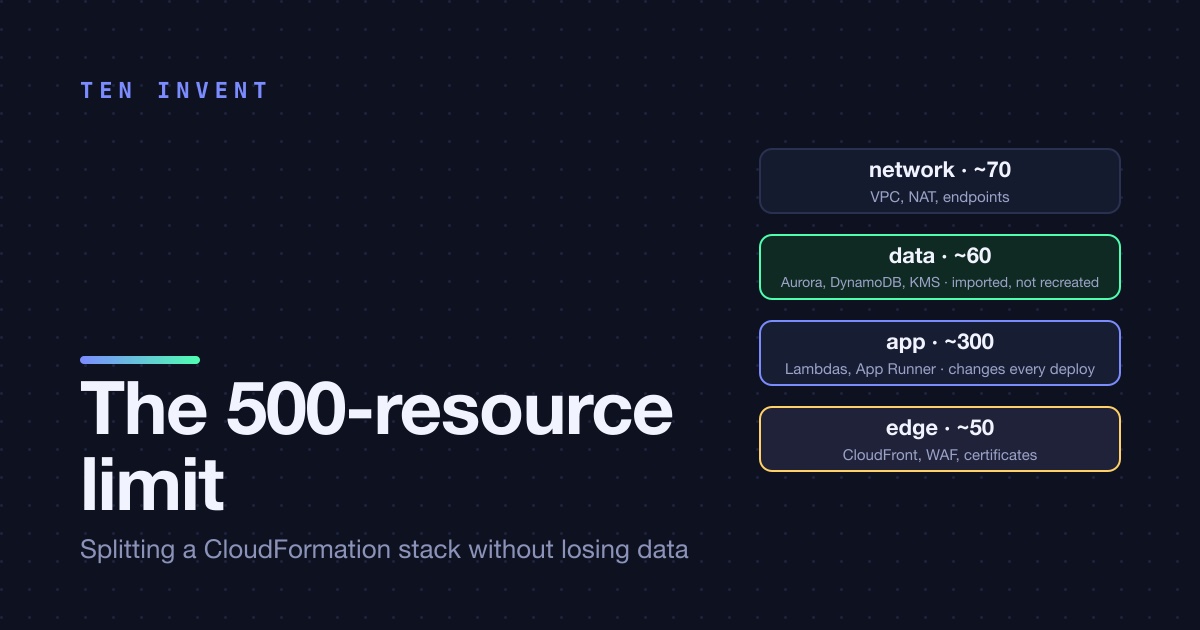
The boundary we drew, in deploy order:
| Stack | Contents | Resources | Changes |
|---|---|---|---|
network |
VPC, subnets, NAT, endpoints, base security groups | ~70 | almost never |
data |
Aurora cluster, DynamoDB tables, KMS keys, secrets, backup vault | ~60 | rarely, and carefully |
app |
Lambdas, App Runner services, queues, event rules, roles | ~300 | every deploy |
edge |
CloudFront, WAF, certificates, Route 53 records | ~50 | monthly |
Four stacks instead of one, the largest at 300 with room to grow. The data stack is the one that gets termination protection and the stricter deploy role; the app stack is the one CI touches every day.
We considered nested stacks and rejected them. A CDK NestedStack lifts the 500 limit (each nested stack has its own), but a nested stack is deployed as part of its parent, so the blast radius doesn't shrink at all: a bad change to a Lambda still runs a change set that includes the database. Separate stacks was the point.
Moving stateless resources: just move them
Lambdas, roles, event rules, App Runner services with no state: cut the construct from one file, paste it in the other, deploy both. CloudFormation deletes the resource from the old stack and creates it in the new one. Two things to check before you do that:
- Physical names. A Lambda with an explicit
functionNamecan't exist twice, so the delete must happen before the create, which means deploying the old stack first. Resources without explicit names get a new generated name and can coexist briefly. We dropped explicit names on everything that didn't need one, which was most things. - Things that point at the resource by ARN from outside. The App Runner service had a custom domain, so recreating it would have meant a new
*.awsapprunner.comhostname, a DNS change and a certificate validation. We left all three App Runner services in theappstack, in place, which is where they belonged anyway.
The Lambdas got new ARNs. Nothing outside the stack referred to them by ARN except an EventBridge rule in the same stack, so nothing noticed.
Moving stateful resources: the four-step import
The database, the tables and the KMS key can't be recreated. They had to change stacks while staying exactly where they were. CloudFormation supports this through resource import, and CDK wraps it as cdk import. The sequence, per resource:
Step one is the one people skip. Without RemovalPolicy.RETAIN deployed first, removing the construct in step two deletes the resource, and for an Aurora cluster that's a final snapshot at best. We had already been through one deletion incident that year and were not interested in a second, so we did step one, deployed, and then checked in the console that DeletionPolicy: Retain was on the resource in the template before doing anything else.
Step three needs the construct in the new stack to produce exactly the properties of the existing resource. For DynamoDB that's the table name, the key schema and the billing mode; for Aurora it's the cluster identifier, engine and a few more; for KMS it's the key ID. cdk import prompts for the identifiers it can't infer, then runs an import change set. If a property doesn't match, the import fails cleanly and nothing is changed, which is the good kind of failure.
Step four is the proof. cdk diff on the new stack after the import should be empty. Ours wasn't, the first time, for the Aurora cluster: we'd declared deletionProtection: true in the new stack, and the real cluster had it off, because the old stack had never set it. The diff showed it, we deployed it, and the cluster ended up better protected than before.
Cross-stack references, and the trap in them
Once resources live in different stacks, the app stack needs the VPC from network and the table names from data. CDK's default is to pass the object across and let it generate a CloudFormation export/import pair. It works, and then it locks you in: an exported value can't change while another stack imports it, so a change to the VPC that alters an exported subnet ID fails until you've removed every consumer. We hit this on day two.
We switched to SSM parameters for everything that crosses a stack boundary:
// data stack
new ssm.StringParameter(this, 'OrdersTableName', {
  parameterName: `/platform/${env}/orders-table-name`,
  stringValue: ordersTable.tableName,
});

// app stack
const ordersTableName = ssm.StringParameter.valueForStringParameter(this, `/platform/${env}/orders-table-name`);
const ordersTable = dynamodb.Table.fromTableName(this, 'OrdersTable', ordersTableName);
The consumer resolves the parameter at deploy time; there's no export, so nothing is locked. The cost is that CDK no longer knows the dependency, so you deploy stacks in order yourself. Our deploy script lists them: network data app edge. For the VPC, Vpc.fromLookup by tag does the same job with the lookup cached in cdk.context.json.
The whole move, timed
| Step | Time | Downtime |
|---|---|---|
| Inventory and drawing the boundary | 2 hours | none |
| Code split into four stacks | 3 hours | none |
| Stateless resources moved (Lambdas, rules, roles) | 20 minutes of deploys | ~1 minute for event-driven functions |
| RETAIN deployed on 5 stateful resources | 5 minutes | none |
| Orphan and import, 5 resources | 40 minutes | none |
| Cross-stack refs moved to SSM | 1 hour | none |
| Verifying empty diffs on all four stacks | 15 minutes | none |
One afternoon and one morning, done in staging first and then in production the next day with a runbook. The one minute of downtime was for the Lambdas that consume queues: between delete and create, messages waited. They were processed when the new functions came up.
What we'd tell our past selves
Split before 300, not at 500. Count resources with grep after every meaningful change, and put the count in CI as a warning at 350. Keep stateful things in a stack that changes as rarely as possible, from the first deploy. And never remove a stateful construct from a stack without seeing Retain in the deployed template first.
If you're staring at the 500 error right now and the stack has a database in it, talk to us before you run the next deploy.