We've been running three Next.js applications on AWS App Runner since March 2026, across dev, staging and production accounts, for a client platform with real users and real money flowing through it. Six months is long enough to have hit the sharp edges. This is the review we wish we'd read before choosing it.
Short version: App Runner is the right choice for a small team that wants containers on AWS without owning an ALB, a VPC layout and an ECS task-definition lifecycle. It's the wrong choice if you need fine control over networking, long-running requests, or deployment behaviour that goes beyond "swap this image for that image". We'd choose it again for this project, with the caveats below written on the first page of the runbook.
What we were choosing between
The platform had been originally planned for Amplify Hosting. When we rebuilt the infrastructure in CDK, three options were on the table:
- ECS Fargate behind an ALB. The industry default. Full control, full plumbing: VPC, subnets, security groups, target groups, listener rules, task definitions, service auto-scaling. We've covered it in a separate guide.
- Amplify Hosting. Zero-ops for Next.js, but it wants to own the Git integration and the build, and its server-side runtime is a black box you can't tune.
- App Runner. Push an image to ECR, get an HTTPS URL. No ALB, no VPC required for the public path, native auto-scaling, a CloudFormation resource you can manage from CDK like any other.
App Runner won on operational surface area. For a team of two or three people also writing the application code, every piece of networking you don't own is a piece you don't have to debug at 11pm.
The good
HTTPS and a URL out of the box. Each service gets a *.awsapprunner.com hostname with a managed certificate. Custom domains are a CNAME plus a validation record. We didn't touch ACM for the app hostnames at all.
The CloudFormation resource is complete. AWS::AppRunner::Service exposes the image identifier, instance size, auto-scaling configuration, health check, environment variables and secrets. That means the rollout happens inside CloudFormation when the image tag changes, which has a subtle benefit: CloudFormation's execution role holds the iam:PassRole permission that the human deploy user doesn't need to have. Concurrent deploys serialize at the stack level, so two engineers can't overwrite each other's rollout.
Secrets injection is done right. runtimeEnvironmentSecrets pulls values from Secrets Manager at container start and grants the instance role GetSecretValue on exactly those ARNs. Sensitive values never land in the template. We use this for the database credentials, third-party API tokens and the web push private key.
Auto-scaling is boring in the best way. The default configuration (min 1, max 25, 100 concurrent requests per instance) was fine for internal apps. For the public-facing app we set a minimum of two warm instances, which absorbed launch-day traffic without a cold scale-out.
Instance sizing is a one-line change. When the finance app's server-side earnings computation turned out to be CPU-bound JavaScript and half a vCPU made a page take 20 seconds, we moved it to 1 vCPU / 2 GB in config.ts. Deploy, done. The same change on ECS is a task definition revision plus a service update plus a wait.
The bad
Every item here cost us at least one afternoon.
A 120-second gateway timeout, not configurable. App Runner will close any request that takes longer than 120 seconds with a 504. Our finance app had a data grid that, when a materialization backlog exceeded about 250 rows, fell back to a full on-read computation and blew past the limit. The fix was on our side (materialize incrementally, add a health route that reports "not ready" while warming caches), but it's the kind of constraint you want to know before you design your API routes. Anything long-running belongs in a Lambda or a queue, not behind App Runner.
Re-deploying the same image tag does nothing. We pin each service to an image tagged with the git SHA. If you rebuild the same SHA with different build-time configuration, the tag string is unchanged, CloudFormation sees no diff on ImageIdentifier, and App Runner keeps serving the image it already pulled — even though the tag in ECR now points at a different digest. This bit us when flipping a feature flag through CDK context without a code change. The rule now: every deploy moves the SHA. Commit the config change.
Build-time versus runtime environment is your problem. Next.js inlines NEXT_PUBLIC_* variables at build time. Runtime environment variables on the App Runner service cannot change them. Our deploy script now reads the build-time environment out of the freshly synthesized CloudFormation template and passes it per-build to CodeBuild, and then verifies by grepping the served JavaScript chunks. Until we did that, a changed public variable took two deploys to reach the browser.
A new instance takes about a minute. Pull image, boot Node, warm caches. With a TCP health check the instance goes into rotation as soon as the port opens, which for our finance app meant serving a cold, slow first request. Switching to an HTTP health check on a dedicated /api/health route, which returns 503 until warm-up is done, fixed it. Do that from day one.
The default is TCP health checks. See above. It's a footgun for anything that warms caches at boot.
No GitHub Actions? Then no App Runner deploy from the console either. Because CloudFormation owns the service, the console's "Deploy" button is effectively off-limits: any manual change is overwritten by the next stack update. We had to build our own deploy script for the case where CI was unavailable (billing reasons, for a while). It's a 300-line shell script with a worktree pinned to the remote branch, a git archive upload to S3, parallel CodeBuild jobs and a CDK deploy. It works, but it's ours to maintain.
The pipeline that emerged
Docker builds happen in CodeBuild rather than on laptops, partly because cross-architecture builds on Apple Silicon are painful and partly because it keeps the "build image for App Runner" flow inside the account, with an IAM role that can push only to that account's ECR repositories. Three builds run in parallel. Synth runs before the builds, because a broken template should fail in seconds, not after fifteen minutes of Docker.
Cost
We can't publish the client's bill, but we can describe its shape. App Runner charges for provisioned instance memory while an instance exists (warm, idle) and for vCPU only while it's actively handling requests. For internal apps at minimum size with one instance, it's a rounding error. For the public app with two warm 2 vCPU / 4 GB instances, it's the largest single line in the compute bill, larger than Lambda and Aurora combined, but still less than an equivalent ECS Fargate setup once you add the ALB's hourly charge and the NAT gateway you'd need for private subnets.
The honest comparison: App Runner is slightly more expensive per vCPU-hour than Fargate and considerably cheaper per engineer-hour.
Verdict
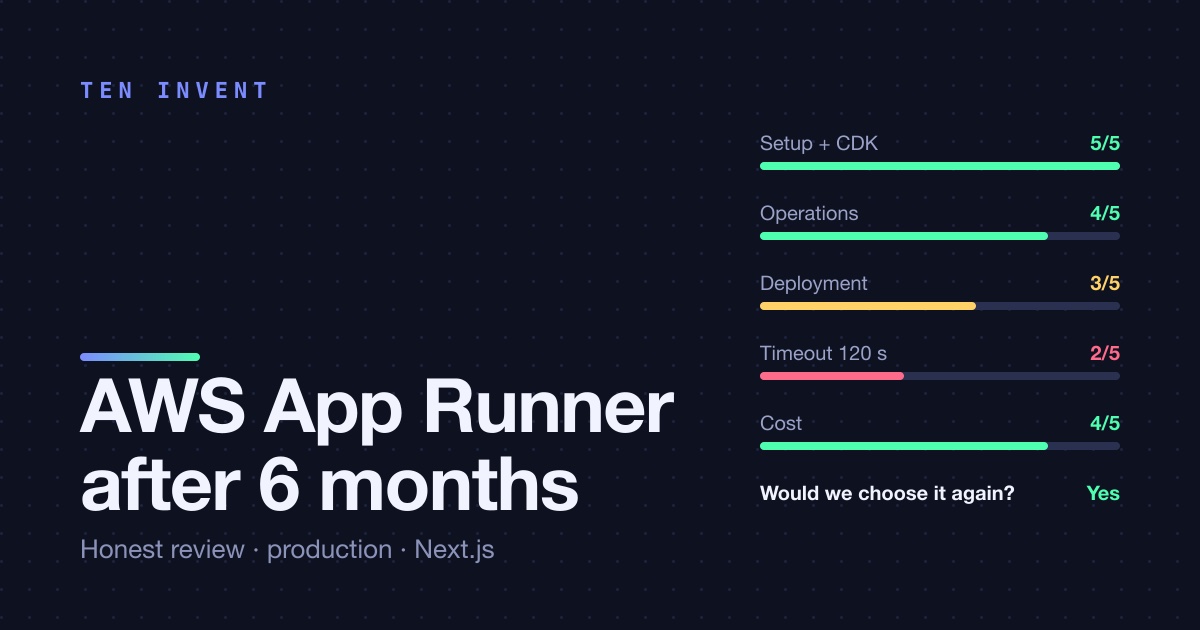
| Score | Note | |
|---|---|---|
| Setup and CDK support | 5/5 | Complete CloudFormation resource, secrets done right |
| Day-2 operations | 4/5 | Quiet; the health-check default is the one thing we'd change |
| Deployment model | 3/5 | Image-tag pinning is deterministic but the same-tag gotcha is unforgiving |
| Request constraints | 2/5 | 120-second timeout is hard; plan around it |
| Cost | 4/5 | More per vCPU than Fargate, far less per engineer |
| Would we choose it again | Yes | For a small team shipping Next.js on AWS |
If your workload is a web application with requests under a few seconds, your team is small, and you'd rather write product code than networking code, App Runner is one of the best-value services AWS has. If you need websockets with long lifetimes, requests over two minutes, or private-only ingress with fine-grained control, go straight to ECS Fargate and accept the plumbing.
Need help deciding, or migrating an existing app? We can help — we've done both directions.